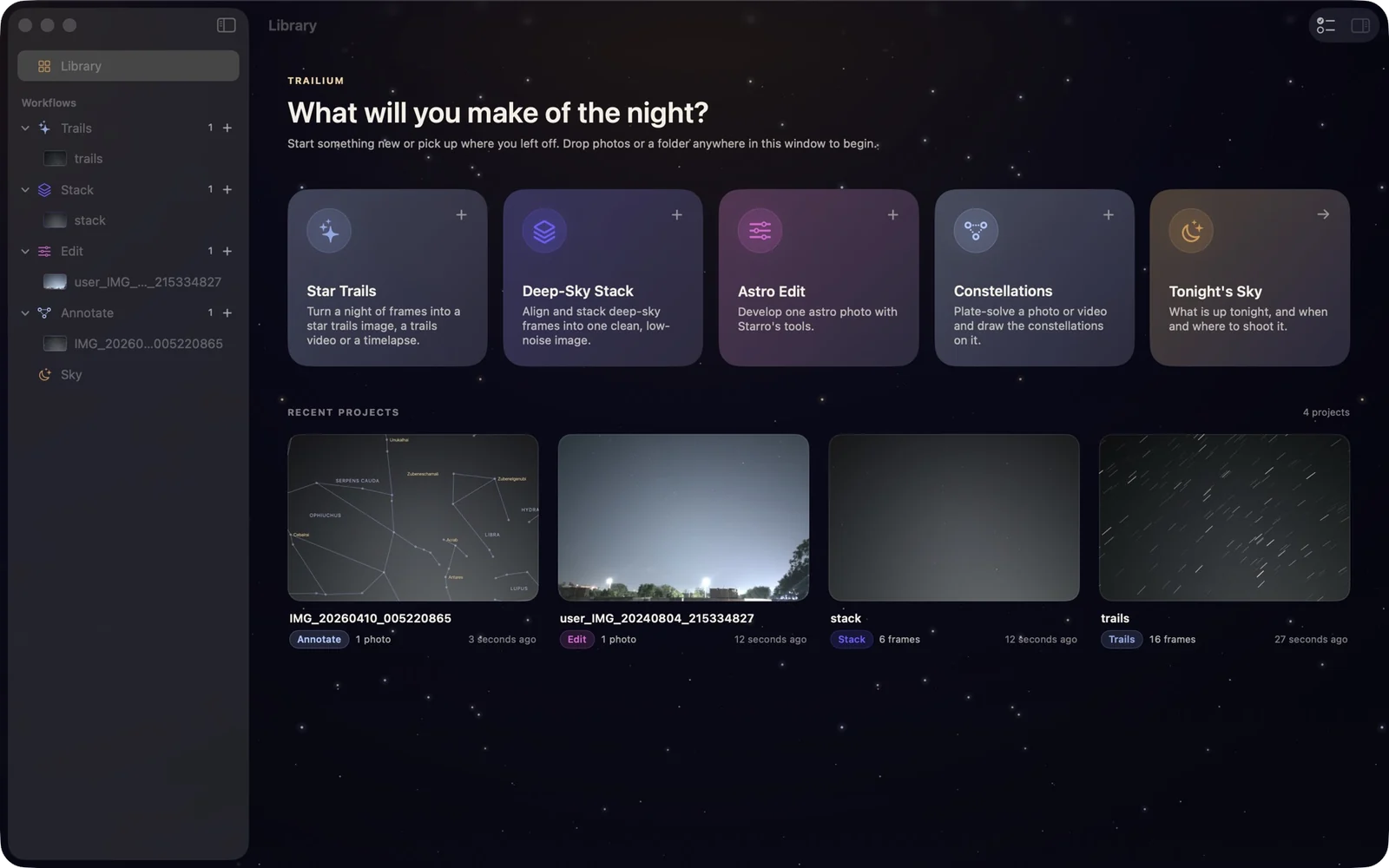
Star trails, timelapses, deep-sky stacks, astro edits and constellations, plus tonight’s sky and a shoot planner. Trailium and Starro in one Mac app, with the same results as on your phone.
One-time purchase. No subscription, no ads, no account.
7-day free trial · $39.99 once · macOS 26 Tahoe or later
01/Workflows
Five workflows. One window.
On the phone, Trailium and Starro are each one straight flow. On the Mac every job gets its own screen, with an inspector, a filmstrip, menus and keyboard shortcuts.
01 / Trails
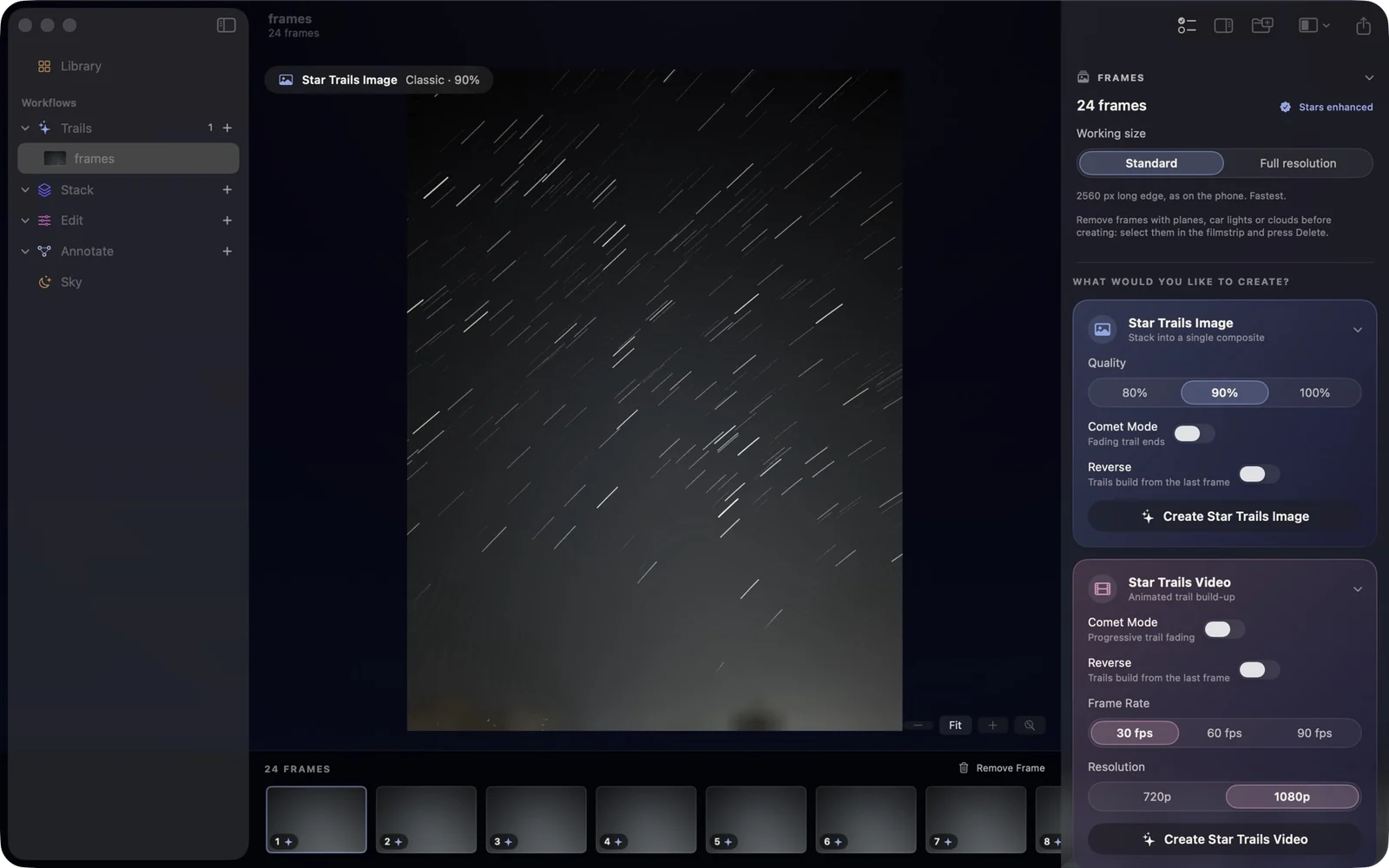
One night of frames, three results.
Drop a folder of frames and Trailium enhances them as they load: it studies every frame to brighten the stars, clean the background and keep the ground sharp. Then make a star trails image, a video of the trails growing, or a timelapse.
Comet mode for fading trail ends, Reverse to build from the last frame
Trails videos and timelapses at 30, 60 or 90 fps, in 720p or 1080p
Work at 2560 px like the phone, or at full resolution for prints
Remove frames with planes or car lights from the filmstrip, with undo
02 / Stack
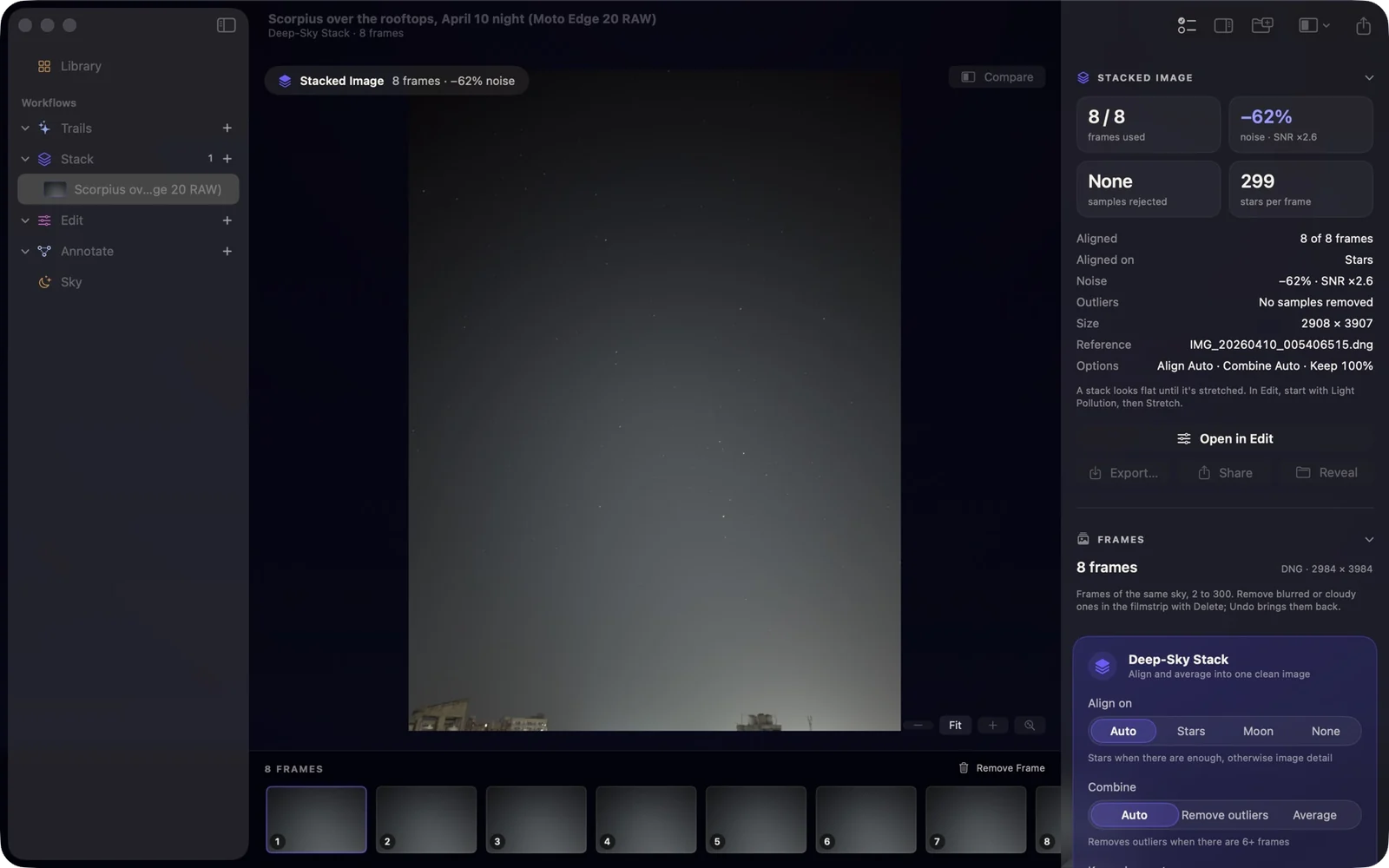
Deep-sky stacks, measured.
Align and average many short exposures into one clean, low-noise image. The result shows how much cleaner the stack is than a single frame, measured on your frames, not assumed.
2 to 300 photos, or a video of the Moon or a planet
Align on the stars, on image detail, or not at all
Outlier rejection drops satellites, planes and hot pixels
Keep only the sharpest 75, 50 or 25 percent of frames
03 / Edit
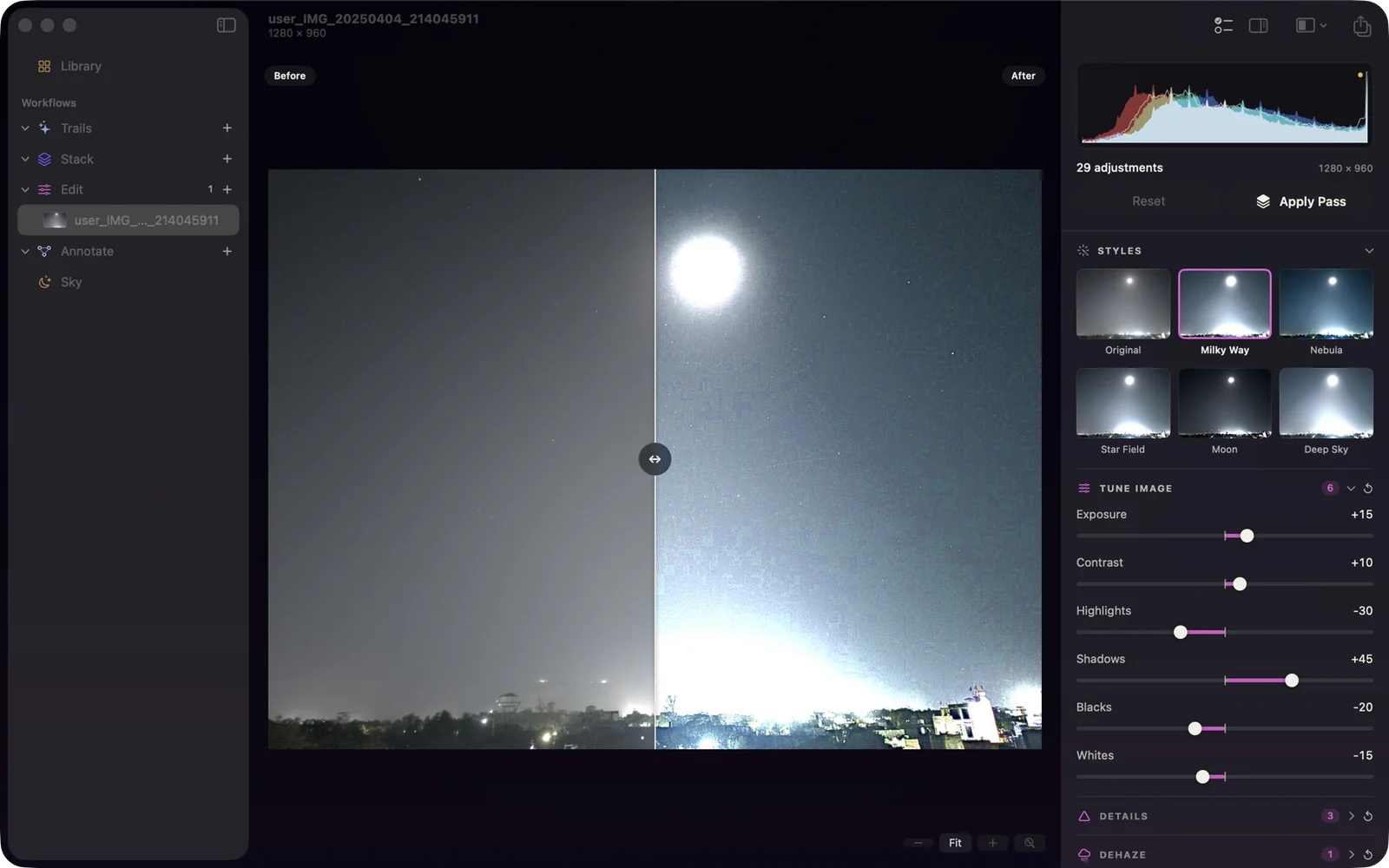
Starro's editor, with room to work.
Every Starro tool with the same results as the app: tone, details, dehaze, curves, selective points, light pollution, stretch, stars, nebula, denoise, white balance, colour and the colour mixer.
Styles for Milky Way, Nebula, Star Field, Moon and Deep Sky
Build strong edits in passes, with undo and redo
Compare by holding \, with a split view, or side by side
Export at full resolution as JPEG, PNG or TIFF
04 / Annotate
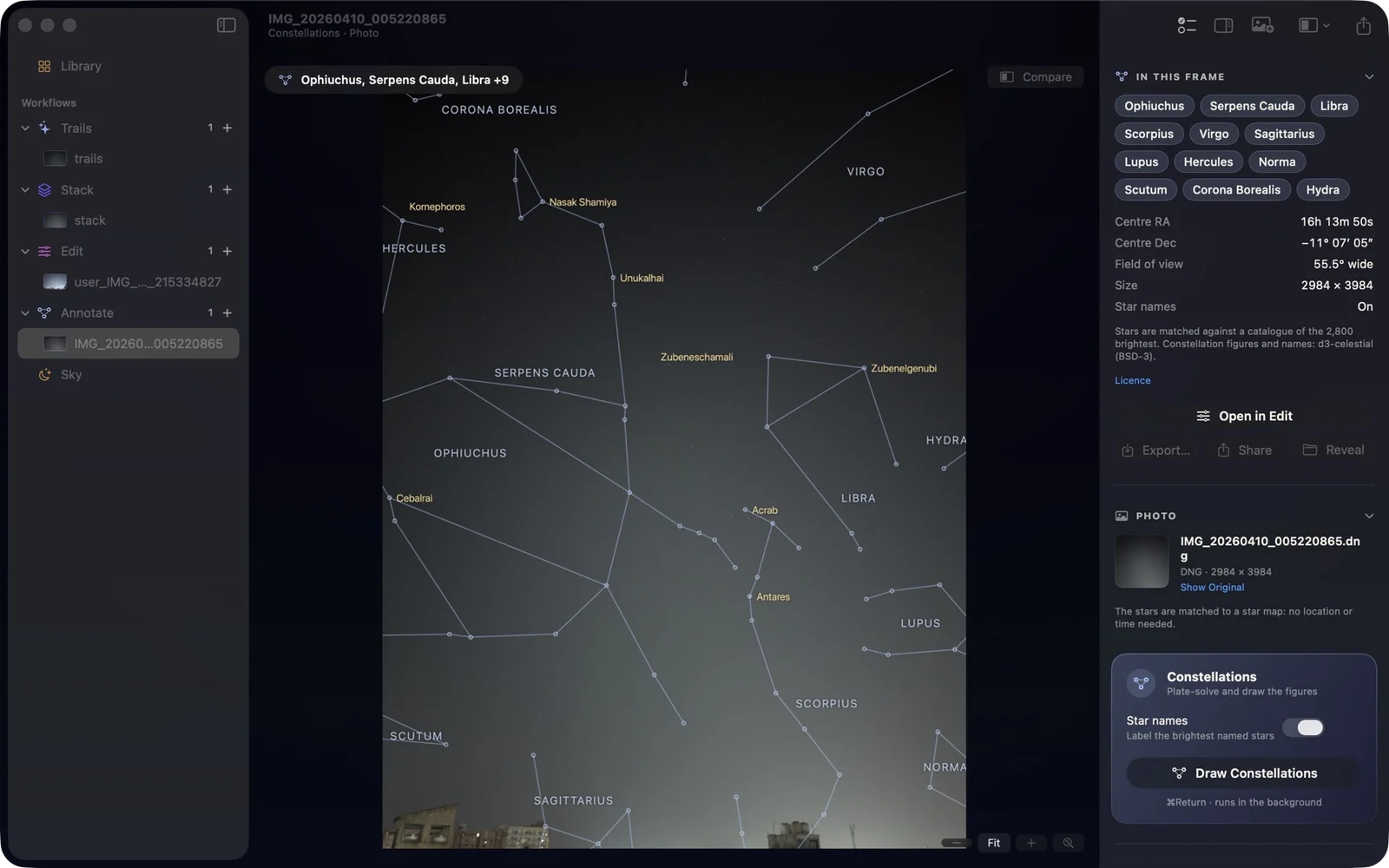
Name every constellation in the frame.
Trailium finds the stars in your photo, matches their pattern against a star catalogue and works out exactly where the camera pointed. Then it draws the figures and the names.
Works from the stars alone: no location or time needed
Videos up to 60 seconds, with figures that follow the sky
Star names, centre RA and Dec, and field of view
Export the annotated photo or video
05 / Sky
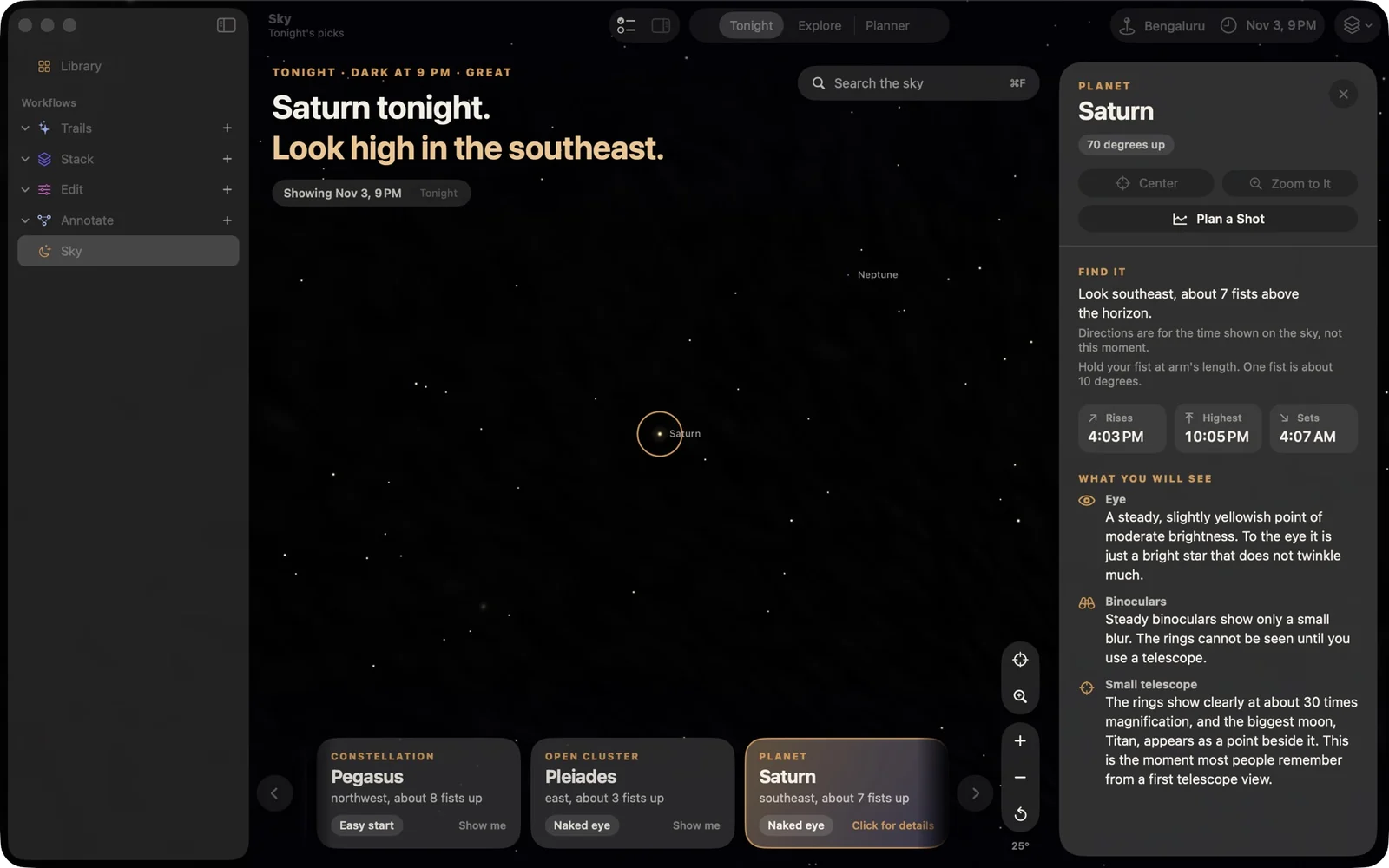
Tonight's sky, for where you stand.
A live sky for your place and time that opens on tonight's best object. Drag to look around, scroll to zoom, and click anything to learn where to find it and what you will see.
Tonight's picks: planets, the Moon and bright deep-sky objects
Search any planet, star, constellation or Messier object
Rise, highest and set times, with directions in fists above the horizon
Plan a Shot hands any object to the planner
02/Mac only
Pro tools the phone doesn't have.
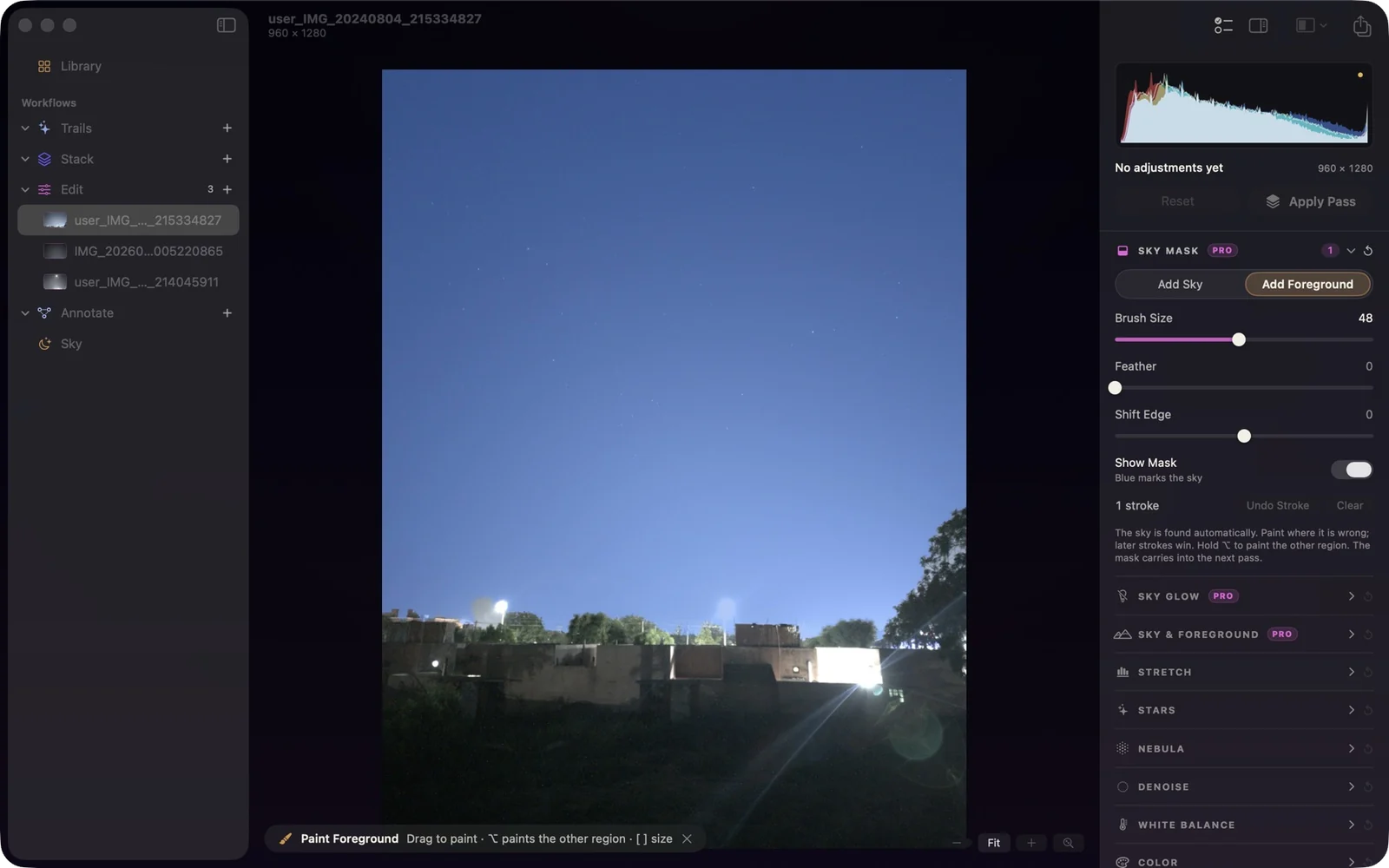
A big screen and a precise pointer make room for tools that need them. In Edit, a sky mask that Trailium finds for you drives three of them.
Pro
Sky mask
The sky and the ground are separated automatically. Paint where the mask is wrong with an edge-aware brush, hold Option to paint the other region, and the mask carries into the next pass.
Pro
Sky-only glow removal
Light-pollution removal fits the glow on sky pixels only, so lit buildings and street lights no longer throw it off. Show the fitted background and move its samples with a click.
Pro
Sky and foreground, separately
Exposure, contrast, temperature, tint and saturation for the sky; add highlights, shadows, clarity and noise reduction for the ground. A bright sky and a dark foreground both come out right.
Mac only / Planner
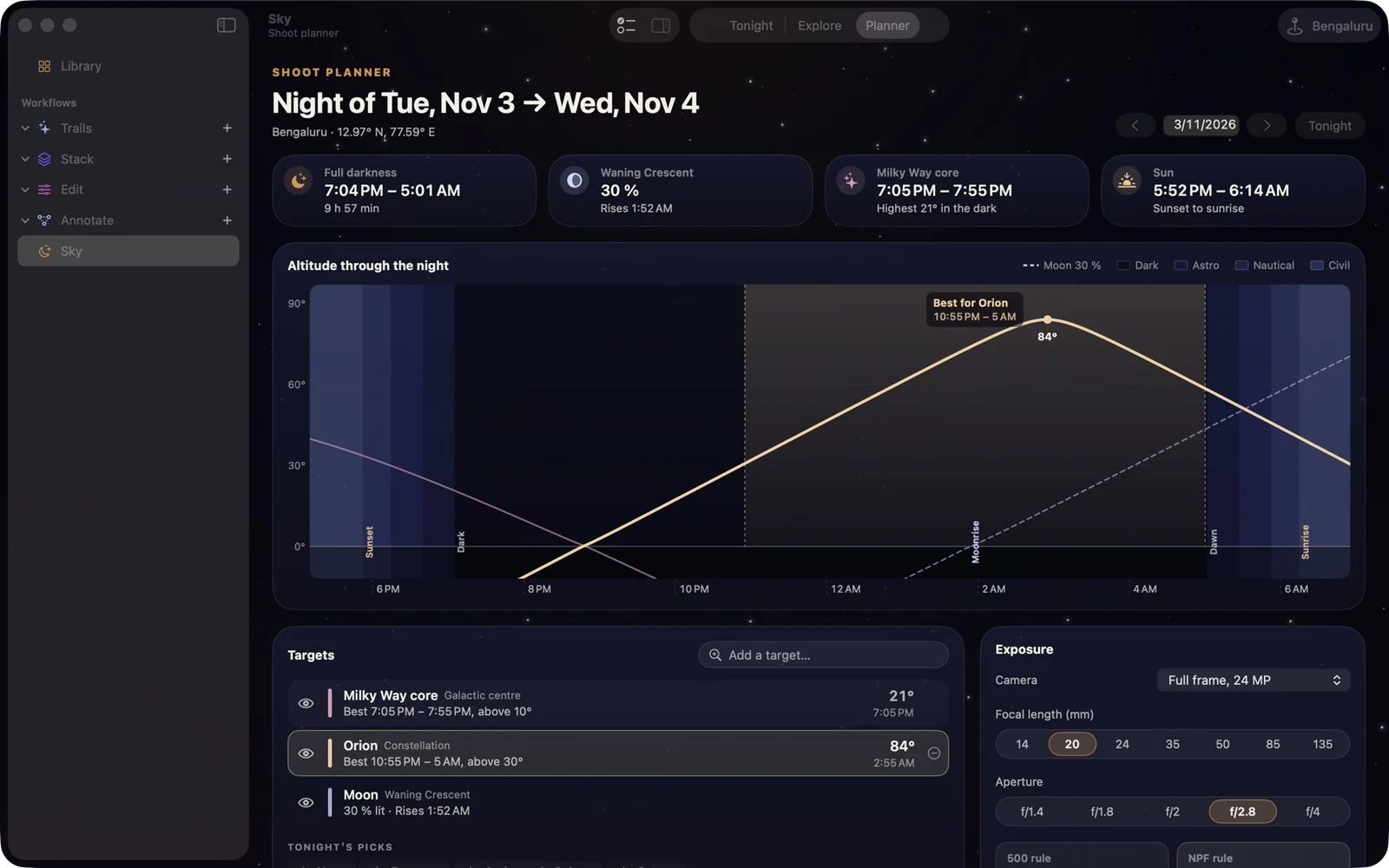
Plan the shoot before you drive out.
Pick a date and a place to see the whole night at a glance, and when each target is at its best.
Full darkness, twilight, moonrise and the Moon's phase on one timeline
Each target's altitude through the night, with its best window marked
Exposure helper with the 500 and NPF rules for your camera and lens
A frame plan for star trails
03/From the phone
Same results as the phone.
Trailium for Mac runs the phone apps' own processing, so a trail, a stack or an edit comes out the way it does in Trailium and Starro. Then it adds the room a Mac has.
Try every feature free for 7 days. Buy once, use it on 2 Macs, and get every 1.x update free.
Trailium for Mac
$39.99USD · one time
Sold through Lemon Squeezy, our merchant of record. Sales tax or VAT is added at checkout where it applies. Refunds: see the refund policy at checkout.
Included
Every workflow and every Pro tool
Free updates for all 1.x versions
Use on up to 2 Macs
7-day free trial with every feature
Tax and receipts handled by Lemon Squeezy
07/FAQ
Questions, answered.
How does the free trial work?
Download the app and use every feature for 7 days. No account and no card needed. When the trial ends, buy a license and enter the key in the app to keep going. Anything you exported during the trial is yours to keep.
Can I use one license on 2 Macs?
Yes. A license activates on up to 2 Macs you use, for example a desktop and a laptop.
I got a new Mac. How do I move my license?
Deactivate the license on the old Mac from the app, then enter your key on the new one. If the old Mac is lost or already wiped, email contact@observin.dev from the address you bought with and we will free up the activation.
Is it on the Mac App Store?
Not yet. Trailium for Mac is coming to the Mac App Store later, sold there by Apple as a separate purchase. The version here is the same app, sold directly, and it updates itself from inside the app.
What happens to my photos?
Nothing leaves your Mac. There is no account, no ads and no analytics, and photos are processed locally. The app goes online only to check for updates, to activate your license, and to look up a place you search for in Sky (through Apple Maps).
Does it open RAW files?
Yes. DNG and the camera RAW formats macOS can read open directly, alongside JPEG, HEIC, PNG and TIFF. For star trails and stacks, shooting RAW is the better choice. Stack and Annotate also take videos.
Do updates cost extra?
No. Every 1.x update is free and installs from inside the app.
Do I need the phone apps?
No. Trailium for Mac stands on its own. It does not take photos itself: shoot with your camera or with Trailium on your phone, then bring the frames to the Mac.
08/Get it
Try it free tonight.
Every feature for 7 days. No account, no card. $39.99 once when you are ready.