Create from your photos3 min read3 steps
Saving, sharing and the Showcase
Where your results go, how to share them, and how to get your shot featured.
Step 1/3
Everything saves to the Trailium album
Finished images and videos are saved to the Trailium album in your phone's gallery automatically.
Creations run in the background. A floating pill shows progress; tap it to open the result, or tap the X to cancel.
Step 2/3
Share a result
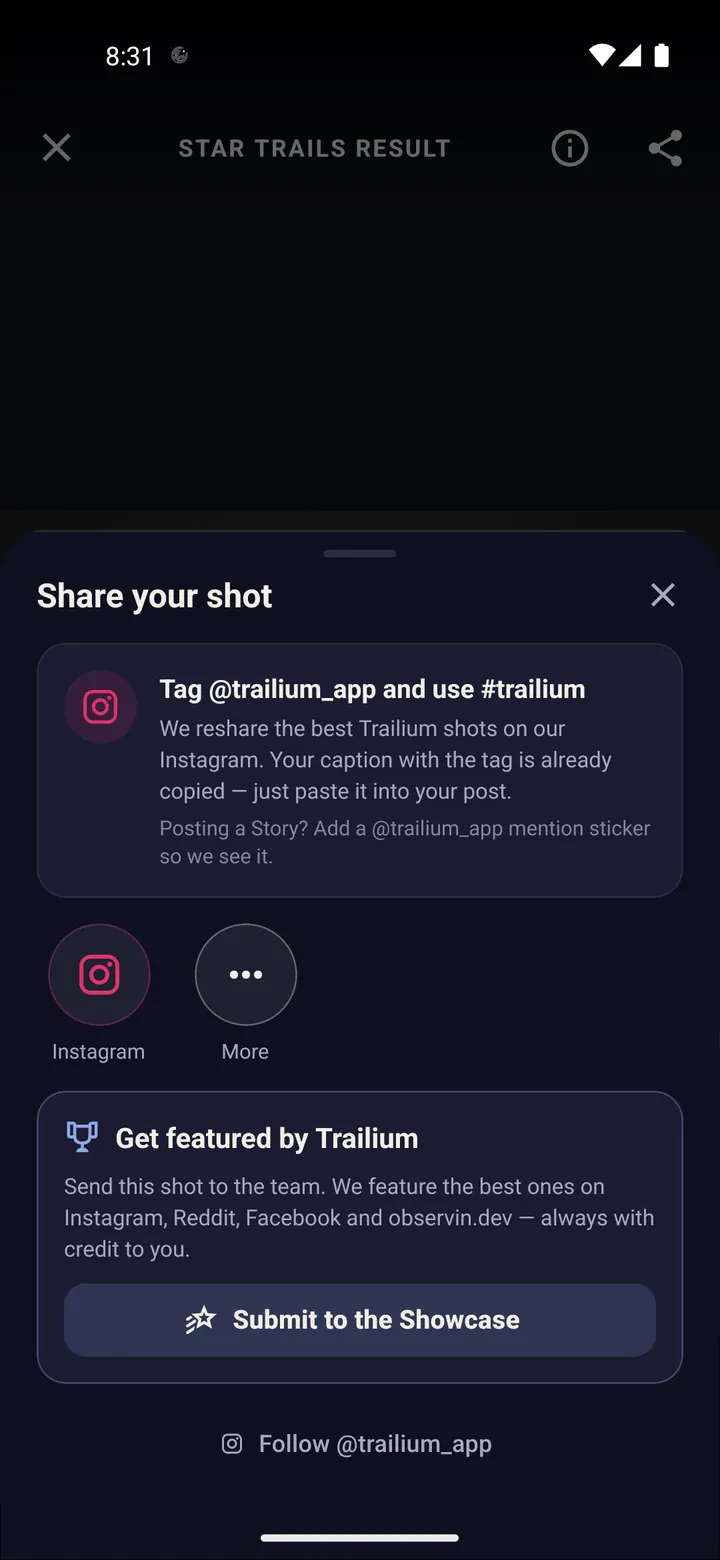
Open the result and tap "Share result". Pick any app: messages, Instagram, WhatsApp, email.
The info button shows the frames used, total exposure and the mode.
Step 3/3
Get your shot featured
In the share options, choose "Submit to the Showcase". The best shots are reposted on Instagram, Reddit, Facebook and observin.dev, with credit to you.
On Instagram, tag @trailium_app and use #trailium. The best tagged shots get reshared.
Done? Try next
Create from your photos
Turn photos you already have into star trails
ReadStart here
Your first star trails tonight
ReadPlan with the sky
Find planets, stars and galaxies with Tonight's Sky
ReadSomething here does not match your screen? Tell us and we will fix the guide.