Plan with the sky2 min read3 steps
Never miss a meteor shower
Turn on sky alerts for meteor showers, eclipses and planets at their best.
Step 1/3
Turn on alerts
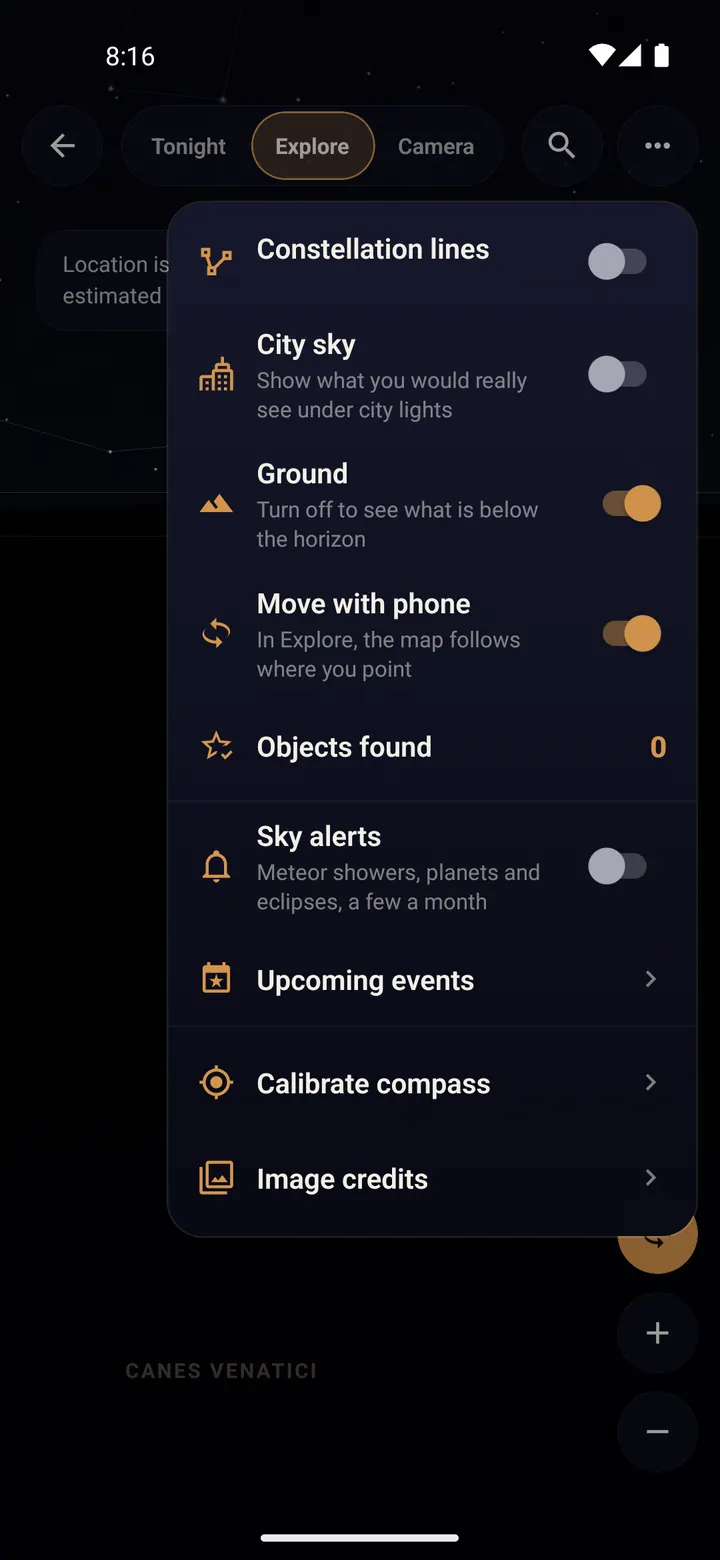
In Tonight's Sky, open the menu (three dots) and switch on "Sky alerts". Tap "Allow" when your phone asks about notifications.
Alerts cover meteor showers, planets and eclipses: a few a month, at most one a day, and never during quiet hours at night.
Step 2/3
See what is coming
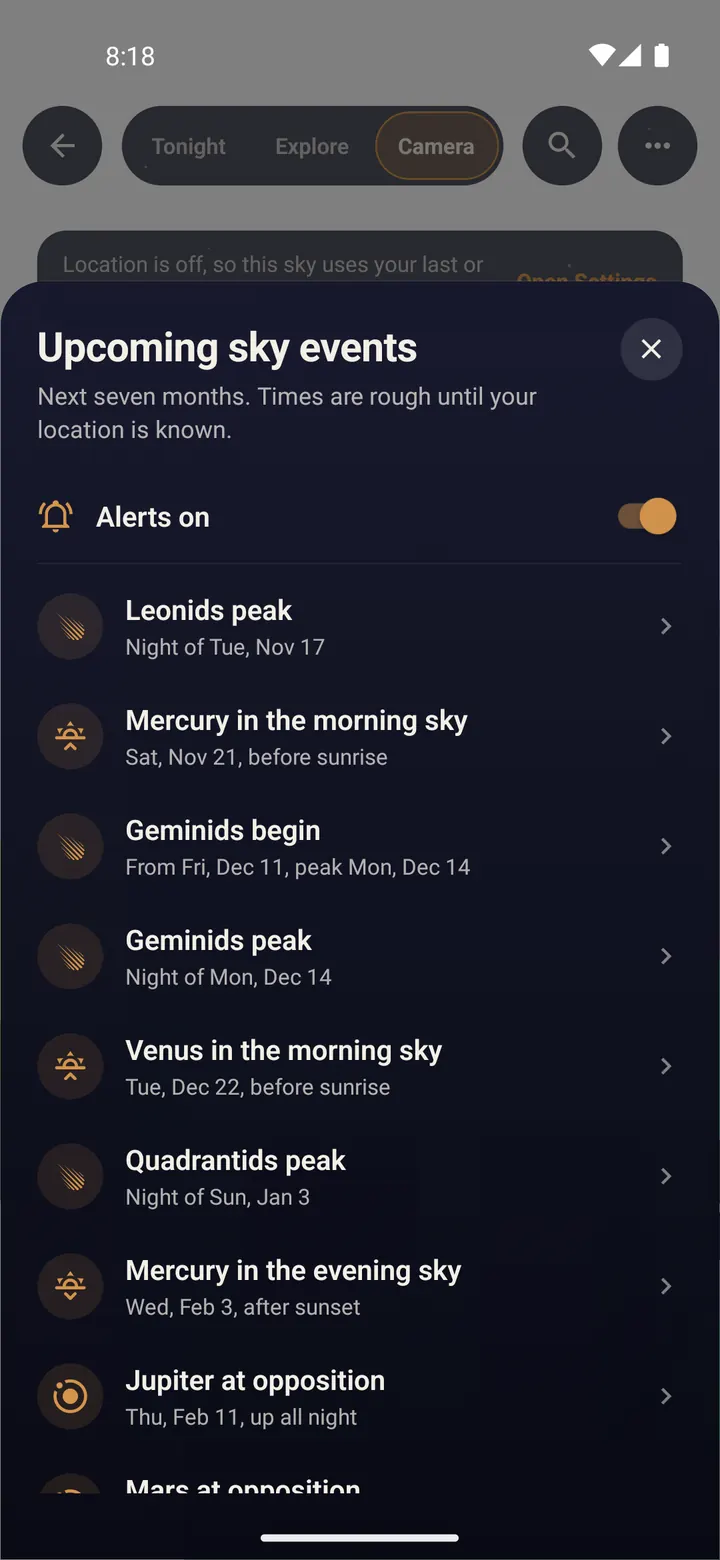
Tap "Upcoming events" in the same menu. The list shows meteor shower peaks, eclipses and planets at their best for the next seven months.
Tap an event to see the sky at that moment.
Step 3/3
Watching a meteor shower
Open the shower from its alert. The sky shows the radiant, the point the meteors seem to come from.
You do not need to look right at the radiant: meteors appear all over the sky. Lie back, give your eyes 20 minutes to adjust, and avoid looking at your screen.
Run Night mode on a tripod during a shower: you may catch a meteor in your star trails.
Done? Try next
Plan with the sky
Find planets, stars and galaxies with Tonight's Sky
ReadStart here
Your first star trails tonight
ReadTips and fixes
Tips and troubleshooting
ReadSomething here does not match your screen? Tell us and we will fix the guide.